User Guide
Task-oriented guidance for people using Assurance Forge. It describes the application as it behaves today, including the parts that are not finished — a guide that quietly skips an unimplemented button costs a reader more time than one that names it.
Authority: reference. This guide describes what exists. What the tool is claimed to do, per capability and with the tests behind each claim, is the capability matrix; on conflict the matrix wins. Standards conformance is claimed separately in the SACM and GSN matrices.
Before you start
Assurance Forge is alpha software. SACM XML is the source of truth and the tool is built not to lose it, but keep your assurance data in version control and keep backups. See Status and limitations.
Pre-built binaries are on the
Releases page: a Windows
x64 installer and zip, and Linux x64 and macOS (Apple silicon) archives, which
get less hands-on use and have
limitations of their own.
main is usually ahead of the latest release — see the
build instructions.
The tasks
| Page | Covers |
|---|---|
| Open a project | The welcome screen, creating and opening projects, what a project holds |
| Navigate the argument | Case explorer, argument navigator, GSN canvas, panning, zoom, selection |
| Edit the argument | Adding and removing elements, the inspector, undeveloped goals, two languages |
| Review an element | Problems, manual review, SCCG-guided AI review, the history timeline |
| Evidence and registers | The evidence register, the CSE register, recording and opening evidence |
| Export a diagram | SVG export, what it carries, what it discloses |
| Connect an AI client | The MCP server, consent, and working drafts |
The example projects
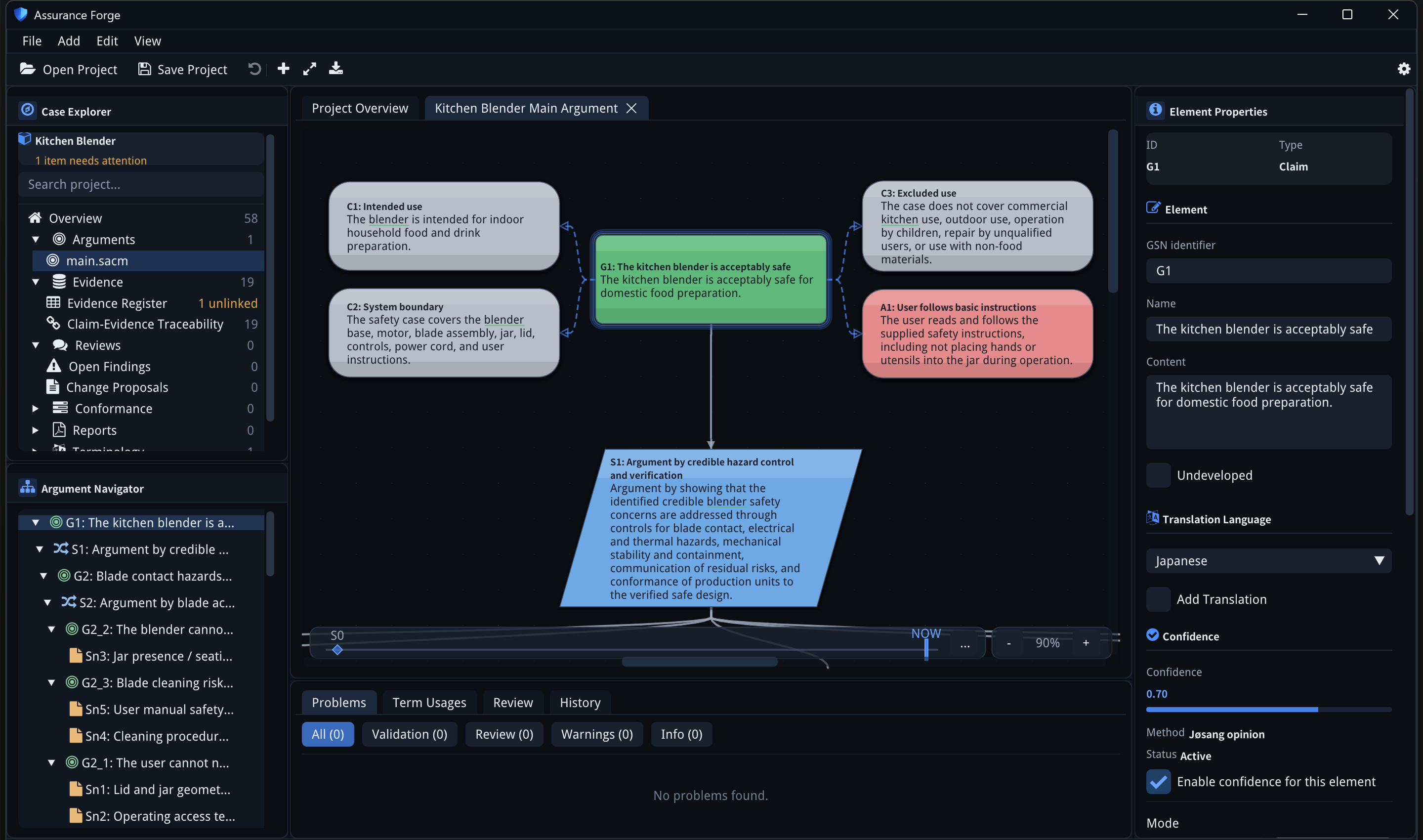
Every page here can be followed against the bundled
kitchen-blender
example, which is the case shown in the screenshots. Initialize the submodule
and open examples/projects/kitchen-blender/af.proj:
git submodule update --init examples
Where the rest of the documentation lives
- Features — per-capability documentation and the capability matrix
- Architecture — for people changing the code
- Documentation map — which page is canonical for which policy