Open a project
Assurance Forge opens on the welcome screen. It is also reachable later from View → Welcome Screen.
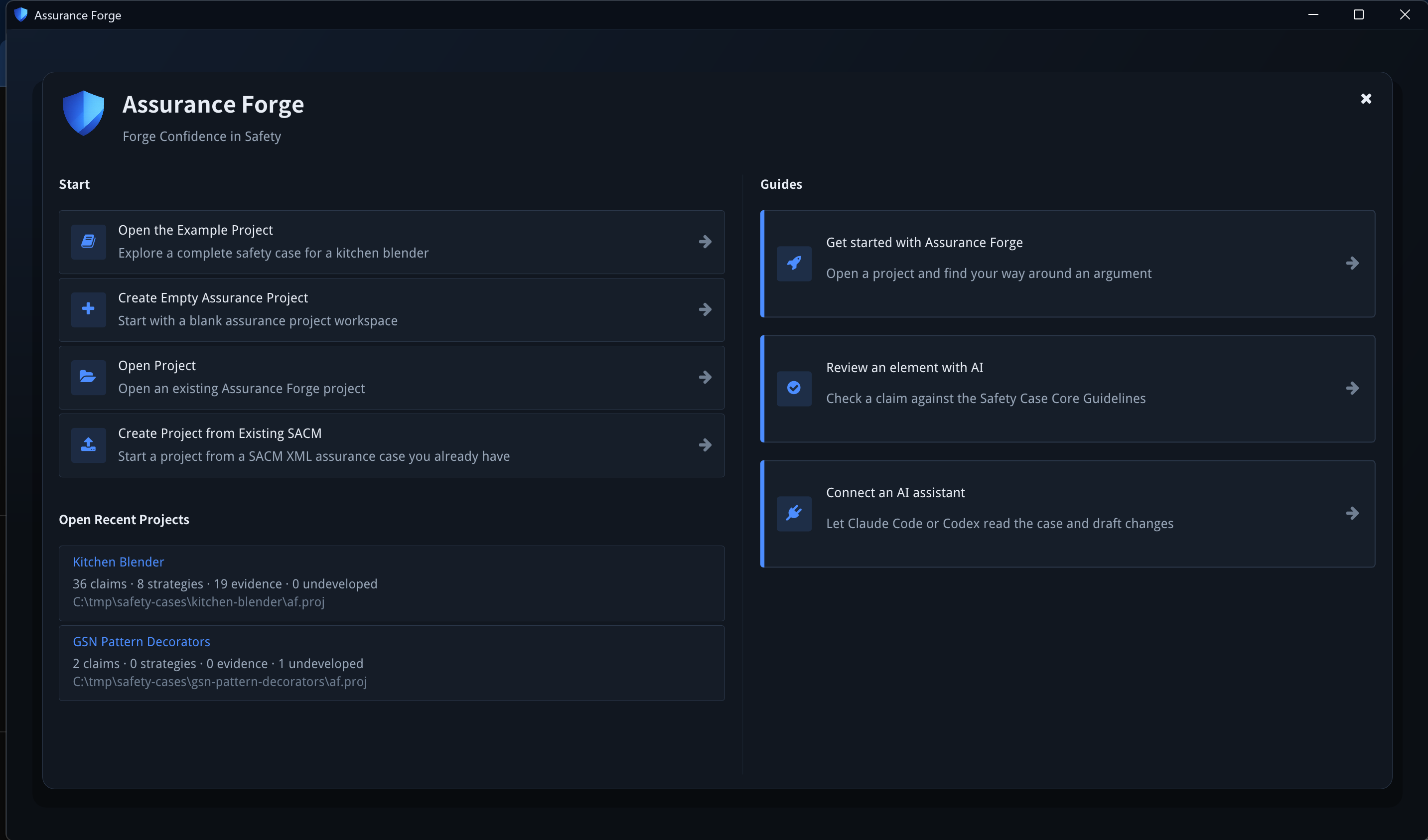
Start
| Action | What it does |
|---|---|
| Create Empty Assurance Project | Asks for a name and a location, and creates a project with an empty argument file. |
| Create Assurance Project from Template | Not implemented yet — the button reports so and does nothing. |
| Open Project | Opens an OS file picker for an existing af.proj. |
| Create Project from Existing SACM | Asks for a SACM file (.sacm or .xml), then a location, then a name (the file's own name is offered). The project's first argument is a copy of that file under arguments/; the original is not touched. A file the SACM library cannot load is refused with the library's reason, and no project folder is left behind. |
Once a project is open, File → Import SACM File... copies another SACM file
into it as a further tracked argument, asks what to call the copy (a name the
project already tracks is refused rather than overwritten), and opens it. Both
imports copy the bytes as they are — the SACM file is the argument, and an import
that rewrote it would be a silent edit. Neither carries anything but the one
argument file: registers, review state and audit history of a source project are
not merged. To work on an existing Assurance Forge project, use Open Project.
The MCP server also accepts a bare .sacm path (--project), read-only.
The three Walkthroughs cards are likewise placeholders at present; they report that walkthroughs are not yet implemented.
When a file changed outside Assurance Forge
af.proj records a hash of every file the project tracks. If a file no longer
matches it (someone edited the argument in another tool, or a checkout changed
its line endings), opening the project shows Project Loading Status with the
file listed under External changes detected.
Pressing OK records those changes as seen on this computer, in the .af/
folder that version control ignores, so the next open does not report them
again. It does not update af.proj. The file keeps showing as modified outside
Assurance Forge until Assurance Forge next saves it, and a further change to it
is reported again. Anyone else opening the same project sees the warning
themselves.
Open Recent Projects
Each entry shows the project name, its claim / strategy / evidence / undeveloped counts as of the last time it was open, and its path. The list is ordered by last opened, so an entry's position changes as you work.
What a project holds
A project is a directory with an af.proj manifest beside the files it tracks:
my-case/
  af.proj                     the manifest: tracked files, roles, hashes, settings
  arguments/main.sacm         the argument — SACM 2.3 XML, the source of truth
  analysis/confidence.af.json confidence assessments, when used
  reviews/review-items.af.json review state
  .af/                        audit log, backups, snapshots, working drafts (not for hand-editing)
The manifest records a hash per tracked file, so a file changed outside the application is detected and reported rather than silently absorbed. Details are in project storage.
The SACM file is the argument. Everything the tool writes elsewhere is derived, recorded state — never a second copy of the argument.
Saving
File → Save Project (or the toolbar's save icon) writes the tracked files.
The status bar shows Saved or Unsaved changes, and closing with unsaved work
asks before exiting. Edits are applied through an audited command bus, so
Edit → Undo (Ctrl+Z) steps back through them; see
Review an element for what that history records.